I have a confession: I’m terrible with plants. Like, really terrible. My track record includes killing succulents (supposedly unkillable), letting herbs wither into dust, and somehow overwatering a cactus. So when I decided to give plants another shot, I knew I needed to stack the deck in my favor.
Enter the easyplant – a self-watering system designed for people exactly like me. But here’s where it gets interesting for the home automation crowd: what if we could make an already easy system even easier by adding smart monitoring?
That’s exactly what I did, and after three months of real-world testing (including a two-week vacation to India during a polar vortex), I’ve got some insights to share.
What is easyplant?
easyplant offers plants that come pre-potted in ceramic self-watering planters. The system uses a hidden reservoir and wicking technology to deliver water directly to the roots. The promise? Water once a month and forget about it.
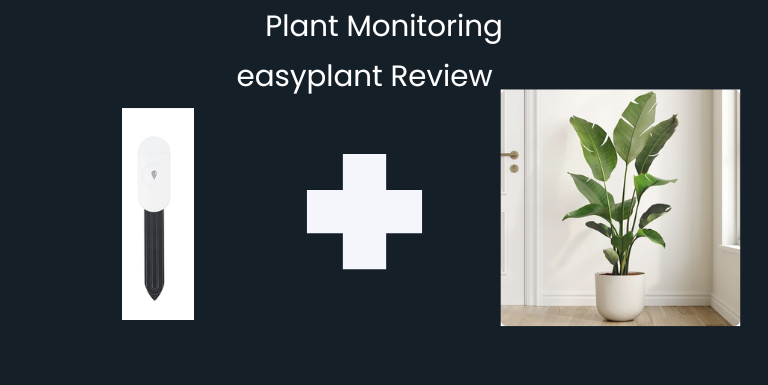
I went with the Large Fiddle Leaf Fig in Sandy Pink ($149), which arrived perfectly packaged and ready to go. The ceramic pot is high-quality, and the plant itself was healthy with vibrant green leaves.
How the Self-Watering System Works
The magic happens below the soil line. A reservoir holds water, and a wicking system pulls moisture up to the roots as needed. You simply open a small lid on top, check the water level with a flashlight, and refill when empty – roughly once a month.
The system prevents both overwatering and underwatering by letting the plant take only what it needs. For someone with my plant-killing history, this was appealing.
Why Add Smart Monitoring?
Here’s the thing: even with a self-watering system, I still had questions:
- Is the reservoir actually empty or just low?
- Is the soil too wet or too dry?
- What happens when I’m traveling for two weeks?
As a Home Assistant enthusiast, I saw an opportunity to automate the one manual task left: checking if the plant needs water.
The Hardware: Haozee Zigbee Soil Moisture Sensor
I chose the Haozee Intelligent Soil Moisture Sensor (also sold as Coolo CS201Z) for several reasons:
Why This Sensor:
- Zigbee connectivity: Integrates directly with my existing Home Assistant Zigbee network
- Capacitive sensor: Unlike cheap resistive sensors, capacitive sensors don’t corrode over time
- Dual AAA batteries: Cheaper and easier to replace than coin cells
- Temperature + Moisture tracking: An added perk – you get both soil moisture AND temperature readings from a single sensor
- Price: $15 – affordable enough to put one in every plant
Compatibility:
The product explicitly states compatibility with Home Assistant (both ZHA and Zigbee2MQTT), which gave me confidence it would pair easily.
My Zigbee Setup
For context, I’m running Home Assistant with:
- SONOFF Zigbee 3.0 USB Dongle Plus coordinator
- Zigbee2MQTT integration
- Zigbee coordinator in the basement
- Plant on the main floor directly above
If you’re new to Zigbee and Home Assistant, check out my Zigbee vs Z-Wave comparison and Getting Started with Home Assistant guides.
Installation and Initial Readings
Setup was straightforward:
- Installed AAA batteries in the sensor
- Put Zigbee2MQTT in pairing mode in Home Assistant
- Followed pairing instructions (button hold)
- Sensor appeared immediately with moisture and battery entities
- Inserted sensor into soil at 2″ depth, opposite side from the reservoir
The Learning Curve: Understanding Moisture Levels
This is where things got interesting. I expected “normal” soil moisture to be around 30-40% based on traditional potted plants. My first reading? 12%.
I panicked. Was the soil too dry? Did I break something?
Then I stuck my finger in at 2″ depth – the soil felt moist. That’s when I realized: self-watering planters maintain different moisture levels than traditional pots.
Here’s why:
- Water comes from below via wicking, not from top watering
- The soil surface stays relatively dry
- Moisture isn’t evenly distributed – it’s higher near the wick
- The plant takes only what it needs
Over the first week, I watched the moisture climb from 12% to 26% to 34% as the wicking system stabilized and the soil absorbed water from the reservoir.
The Real-World Test: Two Weeks in India During a Cold Snap
In December, my setup faced its ultimate test. I had a two-week trip to India planned, and I made a crucial decision: I filled the reservoir completely before leaving.
What happened:
- Moisture jumped from 50% to 65% after refilling
- It climbed to 75% within days
- Then… it stayed at 75% for over two weeks
Why? Our house got down to 50°F during a polar vortex (outside temps hit 0°F). The plant went into survival mode and basically stopped drinking.
My remote monitoring setup:
I added the moisture sensor and battery level to a Home Assistant dashboard I could check from India. Watching that 75% reading stay stubbornly high was nerve-wracking, but I trusted the system.
The Recovery
When we returned and the house warmed back up to 65°F, something amazing happened: the moisture started dropping. 75% → 68% → eventually down to 55%.
The plant was alive, healthy, and actively drinking again. At 55%, I checked the reservoir – it was low – so I refilled it. The moisture climbed back to 65% and has been steady there since.
The verdict: The plant survived a two-week vacation, extreme cold, and high soil moisture without any issues. The self-watering system’s bottom-up approach prevented root rot even at 75% moisture.
Home Assistant Integration
Pairing with Zigbee2MQTT
The Haozee sensor paired immediately with Zigbee2MQTT and created two entities:
sensor.soil_moisture_moisturesensor.soil_moisture_battery
Dashboard Setup
I created a simple dashboard card to monitor the plant:
type: entities
title: Fiddle Leaf Fig
entities:
  - entity: sensor.soil_moisture_moisture
    name: Soil Moisture
  - entity: sensor.soil_moisture_battery
    name: Battery Level
For a more visual approach, you can use gauge cards:
type: gauge
entity: sensor.soil_moisture_moisture
min: 0
max: 100
name: Soil Moisture
severity:
  green: 40
  yellow: 20
  red: 0
Future Automation Ideas
While I’m currently just monitoring via dashboard, here are some automation ideas:
Low Moisture Alert:
automation:
  - alias: "Plant Needs Water"
    trigger:
      - platform: numeric_state
        entity_id: sensor.soil_moisture_moisture
        below: 20
    action:
      - service: notify.mobile_app
        data:
          title: "Plant Alert"
          message: "Fiddle Leaf Fig moisture is low - check reservoir"
Battery Monitoring:
automation:
  - alias: "Soil Sensor Battery Low"
    trigger:
      - platform: numeric_state
        entity_id: sensor.soil_moisture_battery
        below: 20
    action:
      - service: notify.mobile_app
        data:
          message: "Replace AAA batteries in soil moisture sensor"
What I Learned: Moisture Thresholds for Self-Watering Plants
Traditional soil moisture guidelines don’t apply to self-watering planters. Here’s what I discovered:
| Moisture Level | What It Means | Action |
|---|---|---|
| 65-75% | Freshly filled reservoir, soil actively wicking | Normal – let it stabilize |
| 40-65% | Plant drinking normally, reservoir has water | Normal – no action needed |
| 20-40% | Reservoir getting low | Check reservoir level soon |
| Below 20% | Reservoir likely empty | Time to refill |
Your specific thresholds will vary based on:
- Plant species and water needs
- Room temperature and humidity
- Sensor placement in the pot
- Time of year (plants drink less in winter)
Battery Life: The Unexpected Winner
Three months in, the Haozee sensor still shows 100% battery. This might be the best battery life I’ve seen from any Zigbee device in my setup.
The AAA batteries mean:
- Easy to find replacements
- Option to use rechargeable batteries
- Much cheaper than specialty coin cells
- Longer runtime due to higher capacity
easyplant Review: The Verdict
After three months of real-world testing, including extreme conditions, here’s my honest assessment:
The Good
- ✅ Plant is thriving – zero yellow or brown leaves, actively growing
- ✅ Self-watering works as advertised – roughly monthly refills
- ✅ Quality construction – ceramic pot feels premium and looks great
- ✅ Survived extreme testing – cold house, vacation, high moisture
- ✅ Perfect for plant killers – I haven’t killed it yet (personal record!)
The Not-So-Good
- ⚠️ Price – $149 is steep compared to buying plant + pot separately (okay maybe its not so bad)
- ⚠️ Limited repotting options – Eventually you’ll outgrow the system
- ⚠️ Learning curve – Understanding moisture levels takes time
Who Should Buy This?
Perfect for:
- Serial plant killers (like me)
- Frequent travelers
- People who want plants but lack green thumbs
- Anyone seeking low-maintenance greenery
Skip if:
- You’re on a tight budget
- You already have a solid plant care routine
- You want maximum control over soil and watering
My Rating: 5/5 stars
Normally, plants don’t survive in my house. This one is not only alive but thriving. That alone makes it worth the price for me.
The Haozee Sensor Review
Rating: 5/5 stars
This sensor has exceeded expectations:
- Flawless Zigbee2MQTT integration
- Accurate readings
- Outstanding battery life
- Affordable price point
- Capacitive technology that won’t corrode
For $15, it’s a no-brainer addition to any smart home plant setup.
Total Setup Cost Breakdown
| Item | Price | Link |
|---|---|---|
| easyplant Fiddle Leaf Fig (Large) | $149 | easyplant |
| Haozee Zigbee Soil Moisture Sensor | $15 | Amazon |
| Total | $164 |
Note: You’ll also need a Zigbee coordinator if you don’t already have one. See my Zigbee setup guide.
Final Thoughts: Automating the Simple Things
This project perfectly embodies what I love about home automation: making easy things even easier.
The easyplant already simplified plant care to once-monthly watering. Adding smart monitoring eliminated the last bit of guesswork. Now I can:
- Check soil moisture from anywhere
- Get alerted when watering is actually needed
- Monitor plant health while traveling
- Gather data on seasonal water consumption
Is it necessary? Absolutely not. The easyplant works fine without it.
Is it fun and useful for a home automation enthusiast? Absolutely yes.
Sometimes the best automations aren’t about solving big problems – they’re about removing small friction points and adding visibility to systems that are already working.
Plus, I finally have a plant that’s survived more than three months. That’s worth celebrating with some unnecessary but delightful smart home integration.
What’s Next?
I’m considering adding:
- Light level monitoring (to ensure optimal placement)
- Automated grow lights for winter months
- More easyplants in other rooms (because this one is doing so well)
As an Amazon Associate I earn commission from qualifying purchases.